BRAVO is more than a DAW.
It’s the Claude of music production.

We’re building BRAVO, a flexible DAW with a copilot that learns from your projects and sounds, offers ideas and tips, and helps you produce better. BRAVO doesn’t make music for you. It helps you be more creative.

BRAVO / SESSION

Your music. All connected.

From the first idea to the final adjustment. Walk through a real session: tracks, instruments, editing and effects, all in the same studio.

Inside BRAVO
Inside BRAVOA real session. Tracks, ideas and sound in one place.

01 THE CHORD COPILOT

The next chord could change everything.

Explore directions for your progression. The chord copilot shows harmonic relationships and alternatives within your key, so you can decide where to take the song.

We’re building a copilot that knows your session: harmony, arpeggios, melodies and sounds. Ask for ideas, try variations and keep the final say.

Chords you can exploreProgression, key and harmonic relationships in one view.
Chords you can explore

Swipe across the image to explore the details.

Progression, key and harmonic relationships in one view.

02 VOCAL EDITING

Every note. Still your voice.

Refine pitch inside the session. See the voice’s pitch curve, select notes and adjust their position, correction and stability while keeping the performance in view.

The voice, note by noteIntegrated pitch editor · Pitch curve, notes and correction controls.
The voice, note by note

Swipe across the image to explore the details.

Integrated pitch editor · Pitch curve, notes and correction controls.

03 MIDI

One idea. So many ways to play it.

Chords, arpeggios and melodies share the same project. Work on each note in the piano roll, change its length and velocity, and give the performance your own touch.

The details are in your handsPiano roll and note velocities from this session’s arpeggio.
The details are in your hands

Swipe across the image to explore the details.

Piano roll and note velocities from this session’s arpeggio.

04 / AUDIO

Get closer to the sound.

From the waveform to the fade, from pitch to warp. The audio editor puts the details of the clip right where you need them.

Get closer to the sound.Audio editing · Waveform, pitch, fades and warp.
Get closer to the sound.

Swipe across the image to explore the details.

Audio editing · Waveform, pitch, fades and warp.

05 MIXING

Hear it. See it. Shape it.

Recognise each track by its colour. Follow levels, place each part in stereo and work on its effects in a mix you can read at a glance.

Hear it. See it. Shape it.Mixer · Track colours, levels and effects chain.
Hear it. See it. Shape it.

Swipe across the image to explore the details.

Mixer · Track colours, levels and effects chain.

06 PRO VIEW

When you want the whole picture.

Open a track and look closer: spectrum, peaks, RMS, LUFS and processing together. The expert view brings the information into one place, so you can compare what you see with what you hear.

When you want the whole picture.Expert view · The kick, its analysis and its effects.
When you want the whole picture.

Swipe across the image to explore the details.

Expert view · The kick, its analysis and its effects.

100+

DSP / RACK

From the first effect to your own sound.

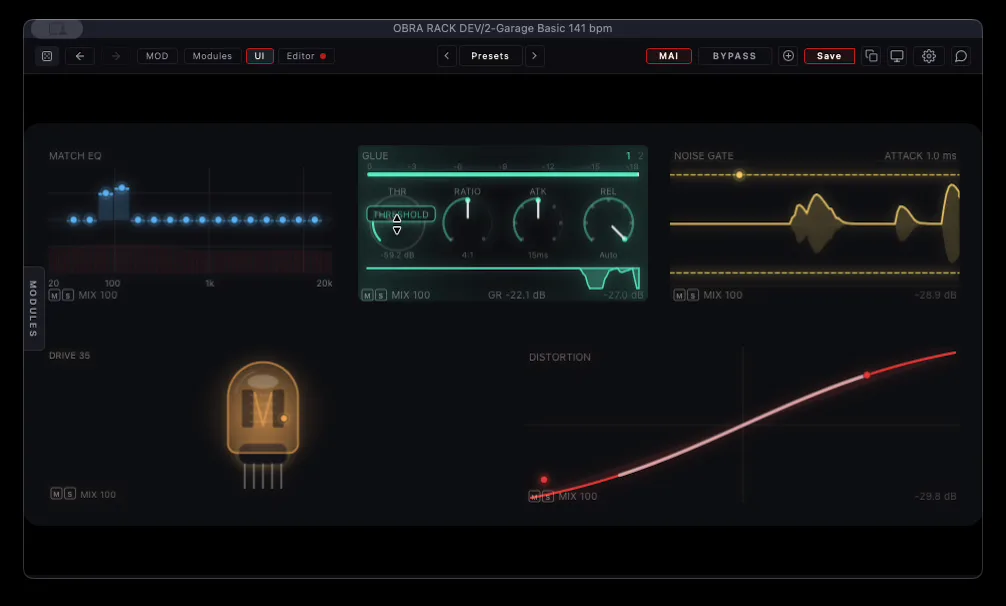
More than 100 DSP modules in development: EQ, dynamics, saturation, modulation, reverb and delay. A modular foundation shared by BRAVO and RACK.

BRAVO · RACKThe full project with an effects chain open.
BRAVO · RACK

Swipe across the image to explore the details.

The full project with an effects chain open.

Bring the session you started.

BRAVO can open Ableton Live .als projects and translate supported tracks, audio and MIDI clips, tempo and groups. The importer is growing: some effects are approximated and not all session data is imported yet.

OBRA DSP

At home in your DAW, too.

BRAVO is the studio. OBRA DSP is the family. While we build it, you can already work with METER and RACK in your own DAW.

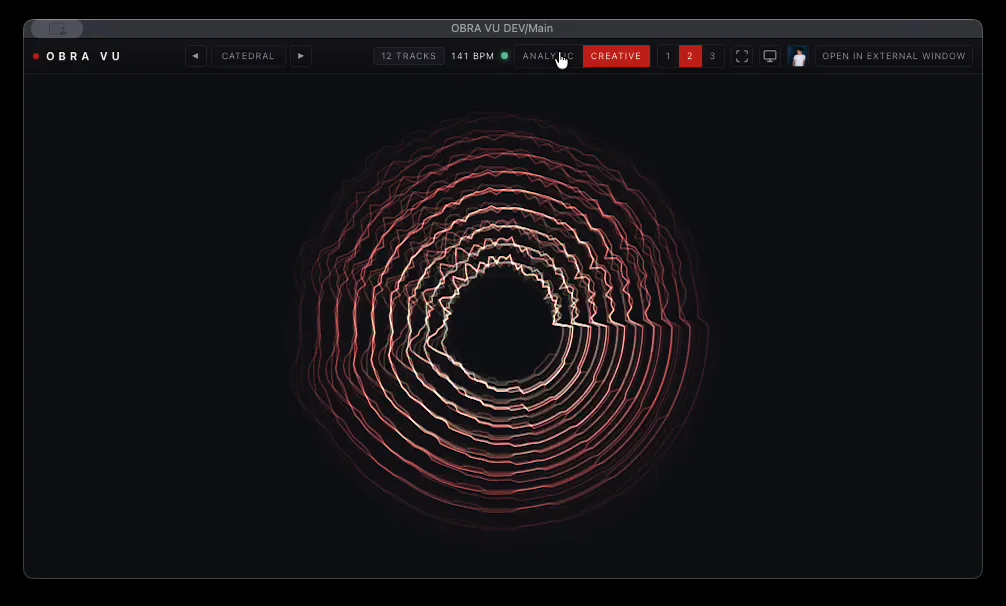
METER Available in beta

See what your mix is doing.

Bring your tracks into a shared visual workspace. Inspect levels and compare what is happening while you listen.

Download OBRA DSP
METERMETER · A view across the mix
METER

Swipe across the image to explore the details.

METER · A view across the mix

RACK Available in beta

Build the effect you have in mind.

Combine modules, explore chains and shape sounds with the same DSP foundation that powers BRAVO.

Download OBRA DSP
RACKRACK · VST3 / AU
RACK

Swipe across the image to explore the details.

RACK · VST3 / AU

BRAVO / OBRA

This is only the beginning.

BRAVO is in development. These screenshots and the film show the studio we’re building. The OBRA DSP app already lets you install METER and RACK.

Download OBRA DSP

The download is for OBRA DSP. BRAVO access is not open yet.

Can I download BRAVO now?

Not yet. We’re preparing its first beta. Downloading OBRA DSP does not install BRAVO or add you to a waiting list.

Does BRAVO make the music for me?

You decide what to compose and how it should sound. The copilot is being developed to help with ideas and tasks inside the project, keeping creative decisions in your hands.

What can I use today?

METER and RACK are available in beta through the OBRA DSP app for macOS and Windows. VST3 works in compatible hosts on both platforms; Audio Unit is for macOS.

Do I need to switch DAWs?

Not to use METER and RACK. Install them as plugins and keep working in your current DAW.

Interested in DSP development? Talk to Carlos