OBRAFree AI DAW for Mac and Windows

BRAVO: The AI DAW.

The Claude Code of DAWs.

The studio that works on its own. Tell it what you want and it mixes, masters and produces with your sounds.

  • Free beta
  • Mac (Apple Silicon or Intel) and Windows
  • Works with Claude, Codex and Cursor

Good afternoon

What are we making today?

Project or folderOB-1

  • Master
  • Judge the mix
  • Tune the vocal
  • Separate stems

Recent projectsView all

  • Midnight DriveBRAVO
  • Vocal comp v3BRAVO
  • EP masterBRAVO
  • Live setBRAVO
  • Scoring reelBRAVO

Who makes it

Built by producers. Tested by engineers. Every day.

Made at OBRA by working producers. Tested in real sessions by mixing and mastering engineers. A new build almost every day.

3,000+
producers and engineers on OBRA
672
actions OB-1 can take in your project
90+
studio modules built in
Daily
builds during the beta

OB-1

Our own AI. For musicians who know what they want.

It works inside your project, with your samples. It puts every hit on the grid, listens to the result and tells you what fails.

  • A director and its musiciansOne plans the song. Up to six write the parts.
  • Every step is one undoAnd it saves versions signed with its name.
  • It never generates the songYour sounds, your library, your taste.

Skills

Do it once. Type @skill. It is yours.

BRAVO turns what you just did by hand into a skill it runs again on any project.

Vocal stackExample skill

  1. Tune the lead to the key
  2. Harmonies a 3rd and a 5th up, on new tracks
  3. Lock the doubles to the lead
  4. My vocal chain on all of them

@skillDone. One undo each.

Your AI drives it

Claude Code and Codex, inside your DAW.

Choose your own Claude or Codex in the chat. It works in the project with your account, your tools and your memory.

  • 13 tools
  • It stays on your computer
  • Off until you switch it on

Works with Claude, Codex and Cursor.

claude · codex · cursor

  • >master these 10 songs to −14 for Spotify
  • lookalbum read: 10 tracks, 38 min
  • domaster × 10 → files
  • okdone. 10 masters at −14 LUFS, true peak at −1 dB or lower
  • >what fails in track 7?
  • dolisten + judge
  • okmuddy at 200 Hz, vocal 2 dB low, too wide under 120 Hz

For demanding professionals

Everything a record needs. Already inside.

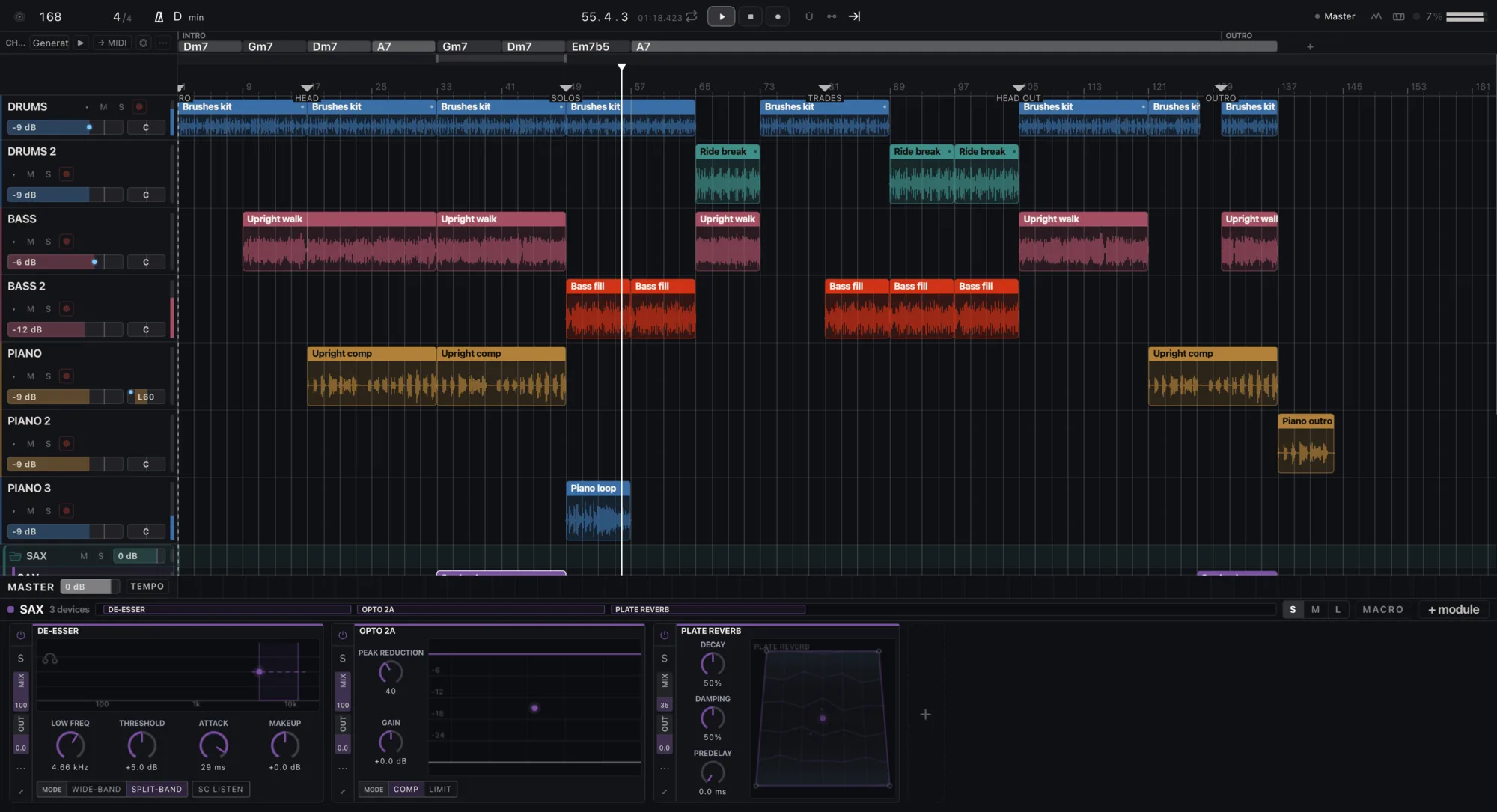
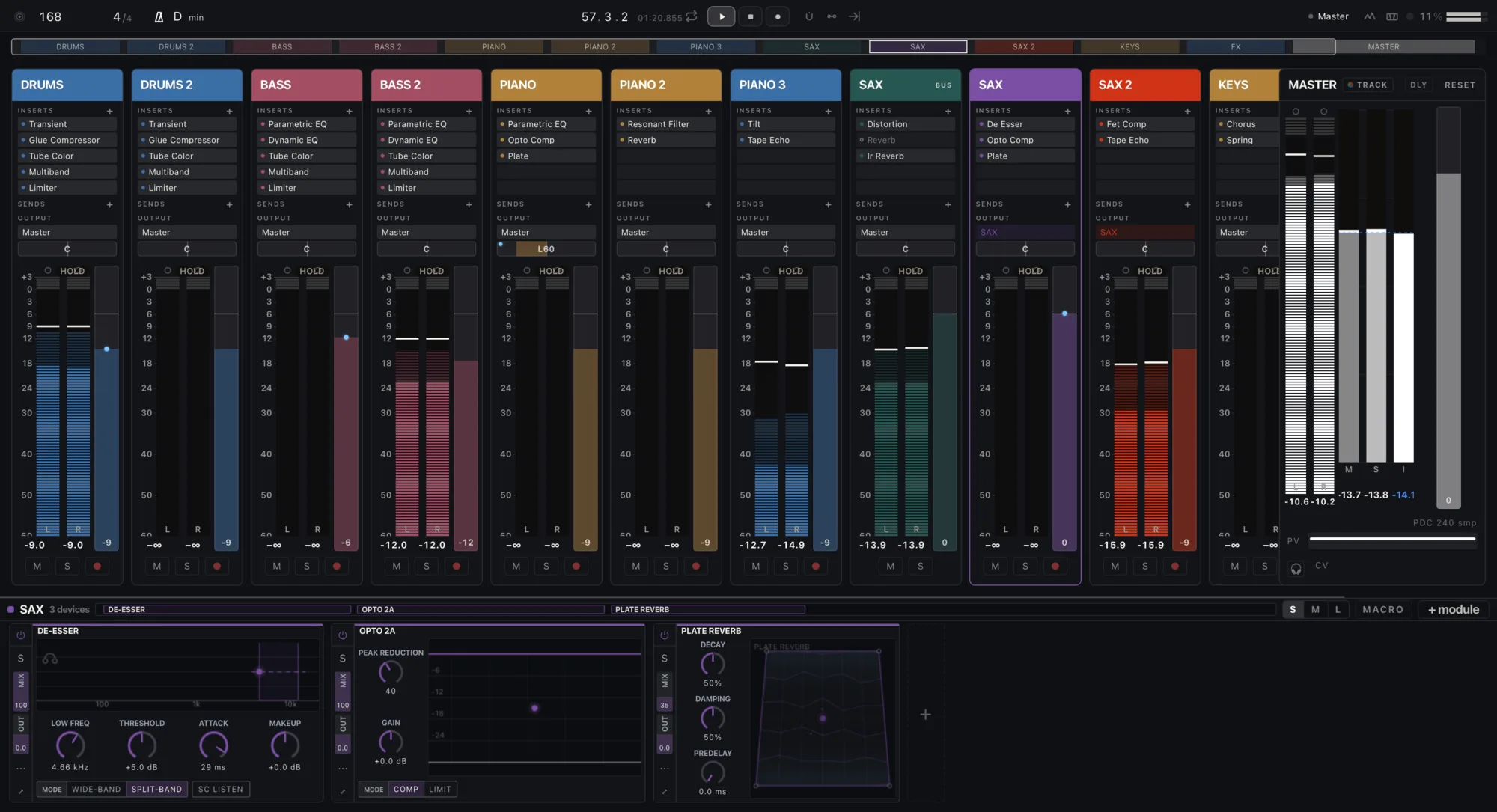
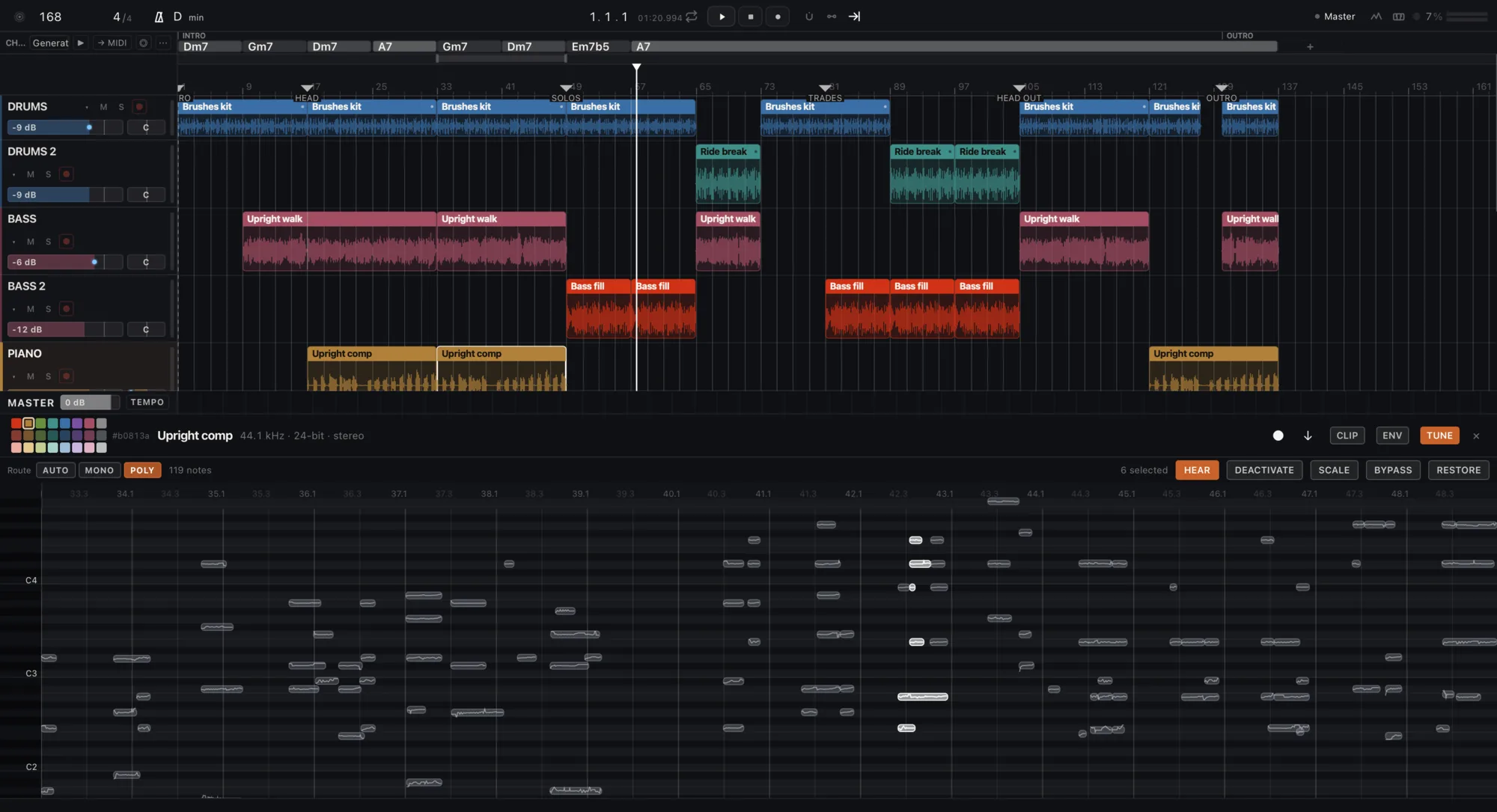
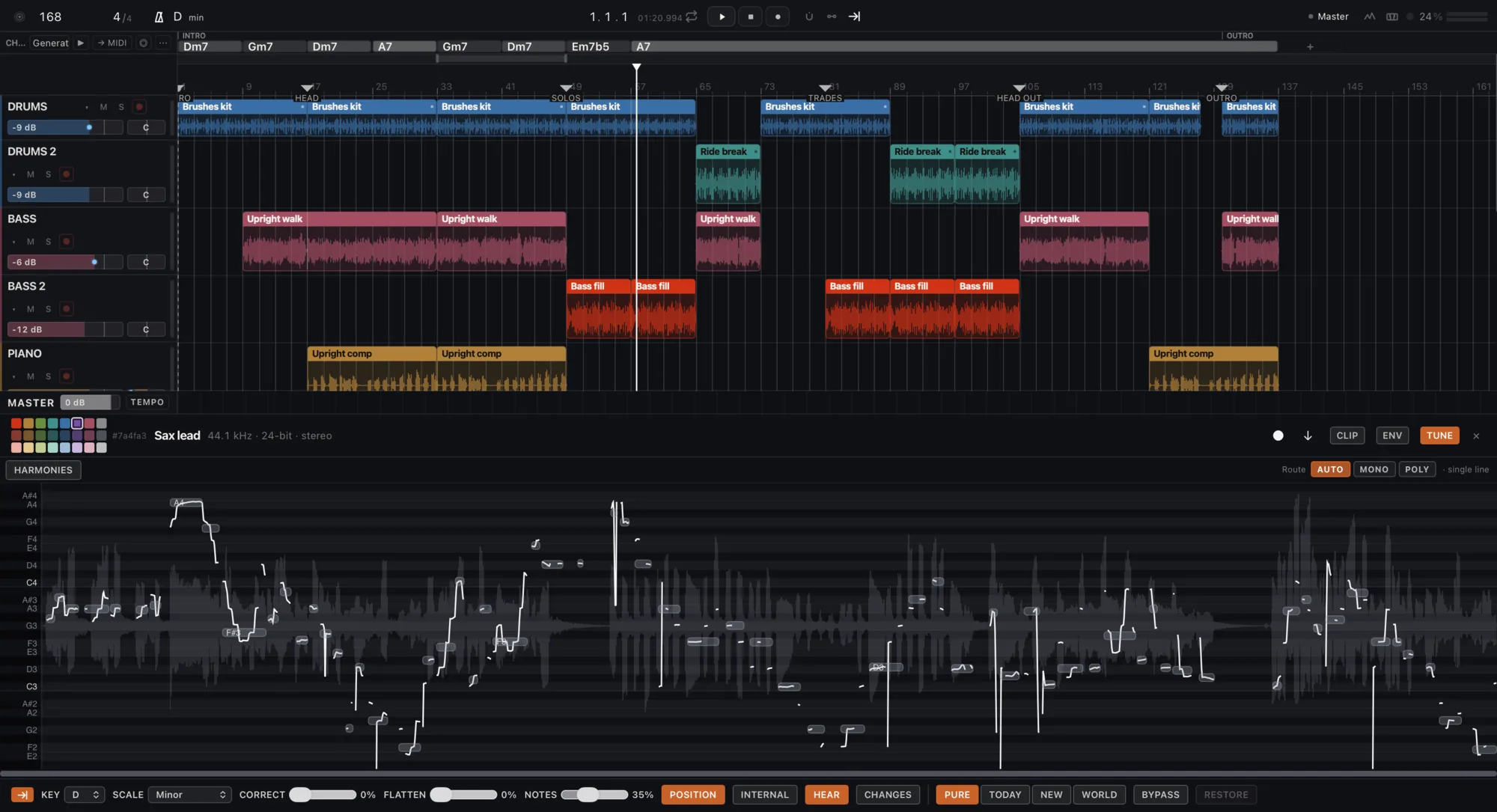
BRAVO: ArrangementBRAVO: MixerBRAVO: Polyphonic tuneBRAVO: Vocal tune

Polyphonic pitch editing

Move one note inside a chord. On any clip, built in.

Vocals aligned and stacked

Doubles locked to the lead. Harmonies written to new tracks.

90+ studio modules

Curated one by one. Plus your VST3 and AU plugins.

A mixer that hides nothing

Automation lanes, groups, sends and returns, loudness and phase meters.

Warp, chords, tempo, video

Three warp modes, a chord track you type into, a tempo lane and a video track.

Stems and masters on your computer

Four stems from any song. Masters at the loudness you ask for. Your audio is never uploaded.

It learns your sound

It reads your Ableton Live and FL Studio projects, on your computer, and chooses samples the way you do.

An engine you can trust

Latency compensated across the whole graph, the same for playback and for the bounce.

Remote

Your session, from your phone.

Scan the code. Play, stop, ask OB-1 by voice and hear the result. Hands free.

What it does today

Ask for the job. Get the files.

Master a song or an album

Process a folder

Separate stems

Judge a mix

Tune a vocal

Learn your sound

Deliver stems

NEKO

And a cat.

It lives in your session and listens to your music. Choose an instrument.

Free AI DAW for Mac and Windows

A DAW with AI inside, free on your Mac or PC.

  • DAWTracks, clips, a mixer, instruments and effects.
  • AIA chat that does the job, plus the AI you already use.
  • MacApple Silicon or Intel, macOS 13.3 or later.
  • WindowsWindows 10 or 11, 64-bit.
  • FreeThe beta costs nothing.

OBRA · BRAVO

BRAVO beta

Checking your access…

Questions

Frequently asked questions

Is BRAVO free?

Free during the beta. Your projects are yours: they always open and export, with or without a plan. Paid plans come with at least 30 days' notice. Subscribe during the beta and keep your founding price while you stay subscribed. OBRA PRO members get BRAVO PRO included. Usage data is on during the beta, never your audio.

Does BRAVO run on an Intel Mac or on Windows?

Yes. On Windows: Windows 10 or 11, 64-bit. On a Mac: Apple Silicon or Intel with macOS 13.3 or later (Intel Macs from 2017 onward that can install it).

Does BRAVO make the music for me?

No. BRAVO does not generate songs. It works with your audio and your samples: it masters, separates, judges and exports what you bring, listens to the result and tells you what fails.

Which AI works with BRAVO?

BRAVO has its own chat on its Home screen. It also works with Claude (Claude Desktop and Claude Code), Codex and Cursor through «Connect your AI», a connector that stays off until you switch it on and only answers on your computer.

How do I get access?

Choose «Get BRAVO beta» on this page, sign in or create your OBRA account, accept the beta terms and download OBRA AUDIO, which installs BRAVO.

Get BRAVO beta

obra.art
Beta terms
BETA TERMS · BRAVO Version bravo-terms/2026-11-11.1 1. What this is BRAVO (beta) is a music studio by OBRA (obra.art), in a free beta for Macs with Apple Silicon, distributed through OBRA DSP. It is experimental: it can fail, change or stop being available, and access can be limited or withdrawn. Keep copies of your projects and your audio. 2. Your music is yours Your songs, projects, samples and other material remain yours or their owners'. Using them in BRAVO gives us no rights over them. 3. We do not train on your music We do not use your audio, your projects or your samples to train models. Of what BRAVO learns from your projects we only receive a summary (styles, tempos, keys, roles, plugins and skills) to improve its AI; never the audio, the names or the content. 4. Usage data is required Using BRAVO (beta) requires sharing usage data with OBRA, so we can see what is used, what fails and improve the beta. We collect: app usage events and counts (which parts you use and for how long), the BRAVO version and your system, errors, hangs and unexpected quits with the system crash report (without paths), installed or blocked plugins (name and maker), which AI you use and how often (never what you write to it), the summary of what your profile learns, the outcome of jobs, your ratings (👍/👎) and what you write in a comment or in «what did you expect». We never collect: your audio, the content of your projects, the names of your files, tracks or samples, or what you type to your own connected AI. To stop sharing, leave the beta and delete that data from the privacy control on this page. When you ask the included AI for something, its provider receives what it needs to answer; if you connect your own AI, your account with it applies. The data notice explains the details. 5. Fair use The included AI has a daily cap per account. Access is personal: do not share your account or try to get around the limits. 6. No warranties The beta is provided as is, without any warranty of availability, results or continuity, to the extent the law allows. Nothing here limits the rights the law gives you that cannot be excluded. 7. Public beta You can talk about BRAVO, show it and record it. If you accepted the private-beta agreement, your copy remains available to download. 8. Everything else For anything this text does not cover, OBRA's Terms of Use (obra.art/policies/tos) and Privacy Policy (obra.art/policies/privacy) apply. Questions and bugs: info@obra.art. 9. Your acceptance By ticking the box and choosing “Accept”, you accept this version and the sharing of usage data in point 4. We keep your UID, your email, the language, this text with its SHA-256 fingerprint and the server date. You can download a copy at any time. The OBRA team
info@obra.art